How to Collect Guest Emails on UniFi Guest WiFi
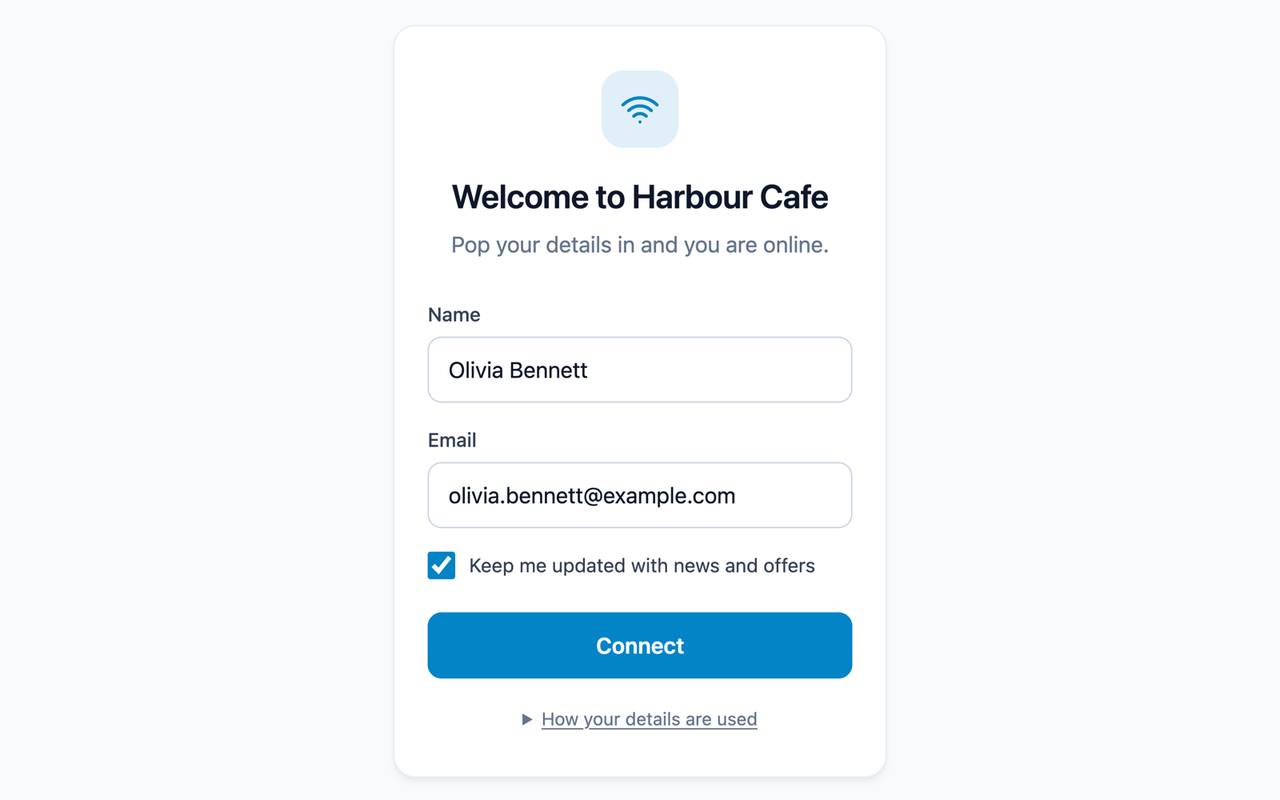
Guest WiFi is one of the few moments when a customer happily gives you their details. They want to get online, and a short form is a fair trade. The catch is that UniFi’s own hotspot doesn’t give you a way to ask.
What UniFi’s built-in hotspot can and can’t do
UniFi’s hotspot portal is good at controlling access. It can show a click-through page with your terms, ask for a WiFi password or a voucher, take a payment through Stripe, or use RADIUS. You can add a logo, colours and a background, and limit session length, speed and data.
What it can’t do is show a sign-up form. There’s no field for a name, email address or phone number, no way to ask your own questions, and no tick box for marketing consent. The guest list in UniFi Network is a list of devices, not people, and there’s nothing to export.
The only ways UniFi itself ever sees an email address are Facebook login, which needs a Facebook developer app and business verification, or a Stripe payment. Neither is what most cafes, bars, hotels or gyms want.
Using an external portal
UniFi lets you hand the login page to an external portal instead. The guest joins your WiFi, UniFi sends them to the external page, and once they’ve signed in, the portal tells UniFi to let them online.
GuestGate is an external portal built for this. You connect it to your console with a UniFi API key, so there’s no port forwarding, and you design the login page in GuestGate with a live preview. UniFi captive portal without port forwarding explains how that connection works.
What you can ask for
On each portal you choose what to collect:
- Name, email address and phone number. Any, all or none.
- Your own questions, such as a postcode, a date of birth, or how they heard about you. Questions can be text, a choice from a list, a date or a tick box, and you decide which are required.
- Marketing consent, as an optional tick box that’s never pre-ticked.
- Agreement to your terms of use, if you want guests to accept them.
Leave everything off and you get a one-tap Connect page instead.
Consent you can rely on
An email address is only useful for marketing if the guest agreed to hear from you. When a guest ticks the marketing box, GuestGate records when they did it and the exact wording they agreed to. If they sign in later and leave it unticked, their consent is removed.
Every login page also tells guests, in plain English, who gets their details and how long they’re kept. You can add your own privacy notice below that. GuestGate deletes guests automatically once they haven’t visited for your chosen retention period, from 1 to 36 months.
Cleaner data from the start
People type email addresses quickly on their phones, and mistakes cost you subscribers.
If a guest types something like gmial.com, GuestGate asks “Did you mean gmail.com?” before they connect.
They can fix it, or press Connect again to keep what they typed.
Returning guests are recognised by their email address or phone number, not just their device. So when an iPhone changes its private WiFi address, which it does every couple of weeks on open networks, the guest isn’t counted as someone new.
Getting the details where you need them
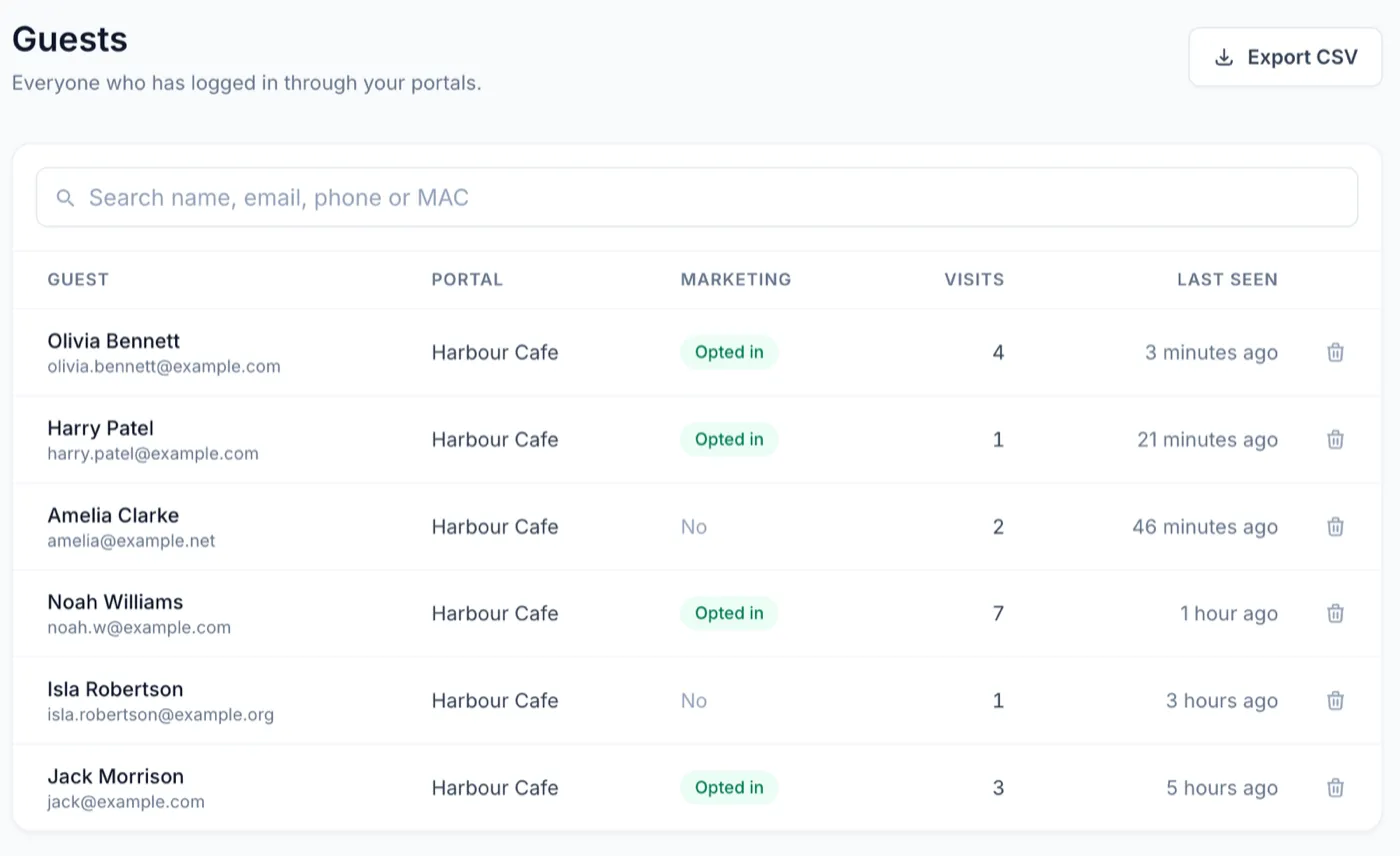
Everyone who signs in appears in your guest list, with their visits and whether they opted in. From there you can:
- Export a CSV with every detail, answer and consent, ready for Excel or any mailing list import.
- Connect Zapier to send guests to Mailchimp, HubSpot, Google Sheets and thousands more as they sign in. Send UniFi guest WiFi sign-ups to Mailchimp walks through it.
- Use webhooks to send each new, returning, changed or deleted guest to your own systems.
Try it
GuestGate costs $15 a month for each portal, with every feature included. Start a 14-day free trial, with no card needed, and have your first guest signing in today.